
Technology
The Orchestra in One Pen — Avenger 3 Pro Series Review

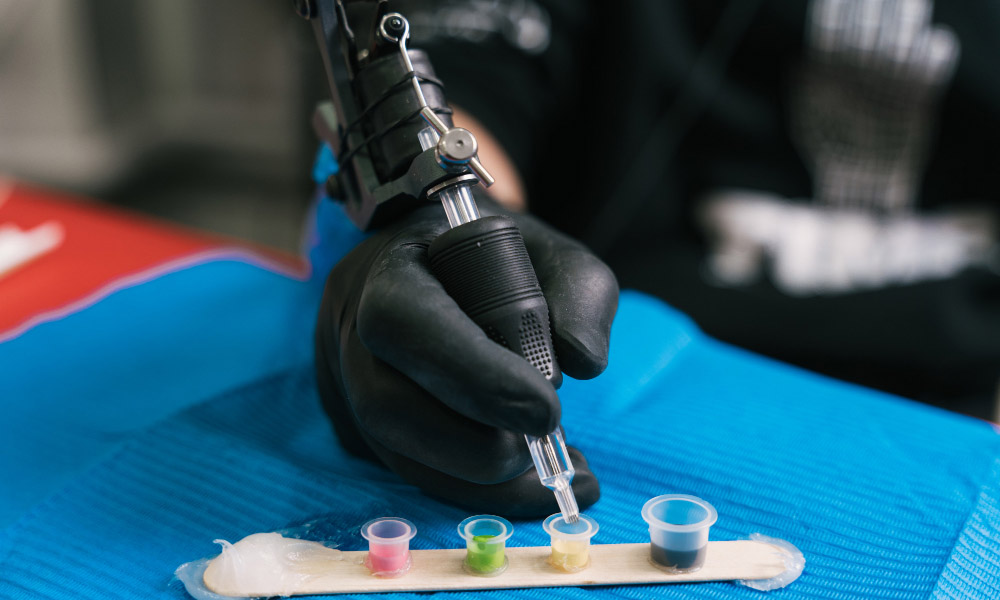
If you want the best starter tattoo machine that can stand in for a small fleet, the Avenger 3 Pro Series deserves a serious look. It’s built for real shop pace: fast setup, predictable hits, and a battery system that keeps you moving instead of hunting outlets. In this review, I focus on what matters in the chair, linework, shading, color packing, and whether one body with six strokes can truly cover most of a pro’s day.
Key Specs at a Glance
The headline is MultiStroke: six selectable stroke settings in one machine. Pair that with a strong, sensor-assisted drive that stays controllable at very low frequencies, and you get a platform that handles delicate textures and heavy saturation without swapping rigs. A quick-swap battery rated for long sessions ties the system together so you can concentrate on the work, not the wires.
Real Performance
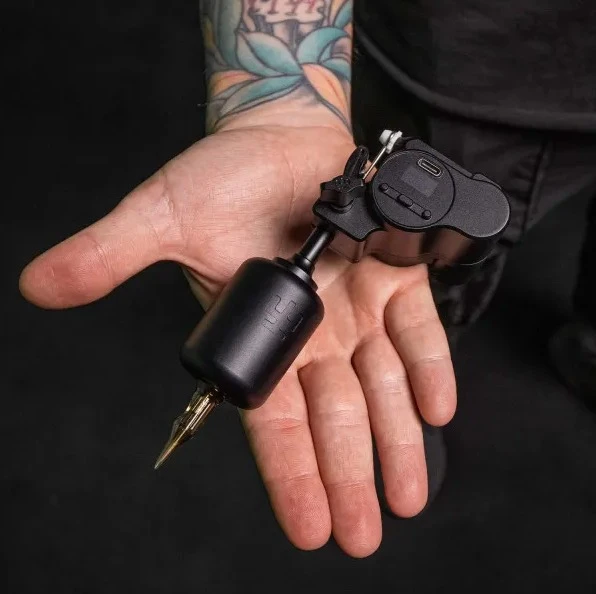
Power is only useful if the needle behaves. The Avenger 3 Pro keeps the strike steady when you dial down the frequency, unlike many wireless pens, which get jittery. That calm, low-speed control helps prevent overworking sensitive areas and keeps the surface cleaner during the pass.
At mid and higher speeds, the hit remains composed. There’s enough headroom for bold lines and dense color, but the response doesn’t feel spongy as voltage or battery state changes. In practice, timing stays predictable from stencil to final rinse.
MultiStroke in Practice
Being able to switch stroke length is more than a neat spec – it’s a workflow tool. Shorter strokes favor tight linework and soft black-and-gray; longer strokes deliver decisive bite for packing and bold color. Instead of changing bodies to match each technique, you adjust the stroke and keep going. Over a long day, those saved minutes compound into less fatigue for you and your client.
Lining
On the shorter settings, the needle tracks exactly where you place it. Corners feel controlled rather than skittish, so you can keep voltage conservative and still get crisp, readable lines.
Shading and Color
Bump the stroke longer and the machine hits with smooth authority. Gradients build without banding, while solid fills seat quickly with fewer corrective passes.
Low-Frequency Detail
For pepper shading, hairlines, or healed-friendly texture, the Avenger 3 Pro’s low-speed stability stands out. You can hover at cautious hertz and still move pigment consistently.
Battery and Wireless Workflow
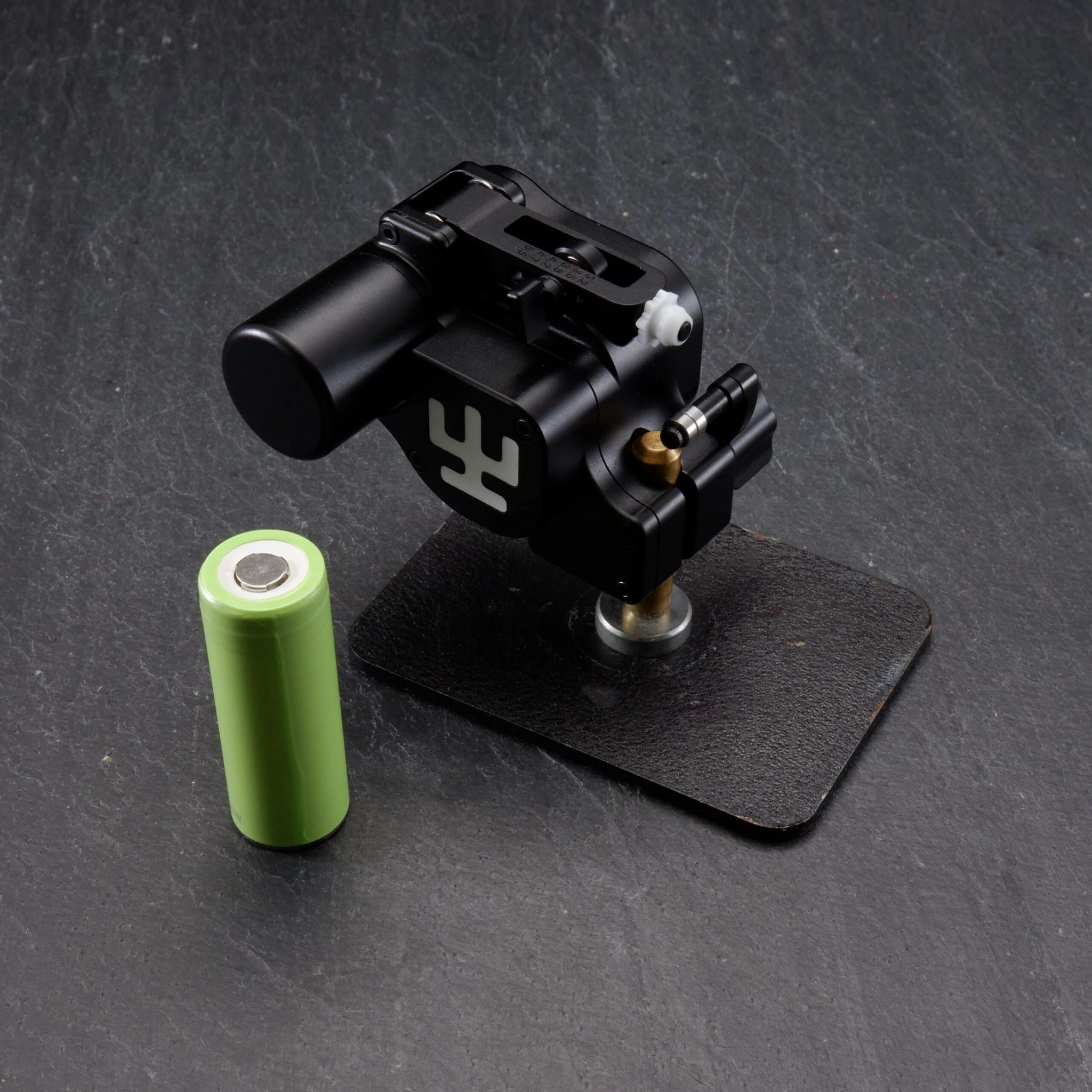
Cordless only helps if it lasts. The quick-swap pack is designed to cover most sessions on a single charge, and swapping takes seconds when you’re in marathon territory. The real benefit is flow: fewer breaks, fewer position resets, and steadier focus from first wipe to final photo.
Ergonomics and Build
The form factor sits securely without bulk, with a balanced center of gravity that reduces wrist bite over hour eight. Controls are intuitive with gloved hands, and the surface texture keeps your grip confident when things get slick. The overall feel is tuned for repeatability, what you dial in at the start behaves the same at the end.
Decision Time
Six genuinely useful stroke settings, credible low-speed control, and a battery system that keeps chair time efficient. If you want one wireless platform to cover most of your playbook, the Avenger3 is an easy first pick.
Who It’s For
- Artists who switch between fine line, realism, illustrative, and traditional in the same day.
- Anyone who wants MultiStroke flexibility to adapt stroke length without swapping machines.
- Those who need stable low-frequency control for delicate textures and sensitive placements.
- Pros who value a quick-swap battery that keeps long sessions moving with fewer breaks.
Who Might Pass
- Artists already invested in several specialized machines and not looking to consolidate.
- Purists who prefer strictly wired rigs and a bench PSU for specific studio workflows.

How to Keep Your Tag Heuer Automatic Running Perfectly: A Complete Care Guide

Best Smart Mattress: DeRUCCI, Eight Sleep and Sleep Number Compared

Fixed Income, Variable Markets: What This GrowthDirect Review Tested

Best Perfumes for Men in the UAE Perfect for Evening Wear

How to Choose the Perfect Oval Diamond Engagement Ring: Shape, Style, Gold & Buying Tips

Years Away From the Markets: What a Returning Trader Found When Testing Brent Markets

A Long Term Investor Opens a Trade Account: My Inverset Review

Putting an Inheritance to Work Slowly, With Keystone Wealth Management

How Healthcare SEO Increases Patient Appointments Without Paid Ads

Choosing an Account That Matches How You Trade

Who Is Marlene Knaus? The Untold Story of Niki Lauda’s First Wife

Jacqueline Bernice Mitchell: The Inspiring Story of Jerry Rice’s Ex-Wife

The Best Sales Enablement Platforms to Boost Your Sales Process in 2026

Curious About JOI Database? Read This First Before You Click Anything

Mickey Middleton: The Untold Story of Bryan Cranston’s First Wife

Where Is Barbara Boothe Now? Inside Her Life After Larry Ellison

Who Is Jasmine Williams? Meet Brad Williams’ Amazing Wife

Wendy Lang: Meet the Therapist Married to Cenk Uygur

Where Is Noelle Watters Now? Jesse Watters’ Ex-Wife’s Life After Divorce

Alisande Ullman Today: What Happened After Her Divorce from Leslie Nielsen?
How to Keep Your Tag Heuer Automatic Running Perfectly: A Complete Care Guide
Best Smart Mattress: DeRUCCI, Eight Sleep and Sleep Number Compared
Fixed Income, Variable Markets: What This GrowthDirect Review Tested
Best Perfumes for Men in the UAE Perfect for Evening Wear
How to Choose the Perfect Oval Diamond Engagement Ring: Shape, Style, Gold & Buying Tips
Years Away From the Markets: What a Returning Trader Found When Testing Brent Markets
A Long Term Investor Opens a Trade Account: My Inverset Review
Putting an Inheritance to Work Slowly, With Keystone Wealth Management
How Healthcare SEO Increases Patient Appointments Without Paid Ads
Choosing an Account That Matches How You Trade
-
 Celebrity1 year ago
Who Is Marlene Knaus? The Untold Story of Niki Lauda’s First Wife
-
 Celebrity1 year ago
Jacqueline Bernice Mitchell: The Inspiring Story of Jerry Rice’s Ex-Wife
-
 Business9 months ago
The Best Sales Enablement Platforms to Boost Your Sales Process in 2026
-
 Entertainment1 year ago
Curious About JOI Database? Read This First Before You Click Anything