Technology
Create Your Own Santa Video & AI Christmas Photo
Published
4 weeks agoon
By
Admin
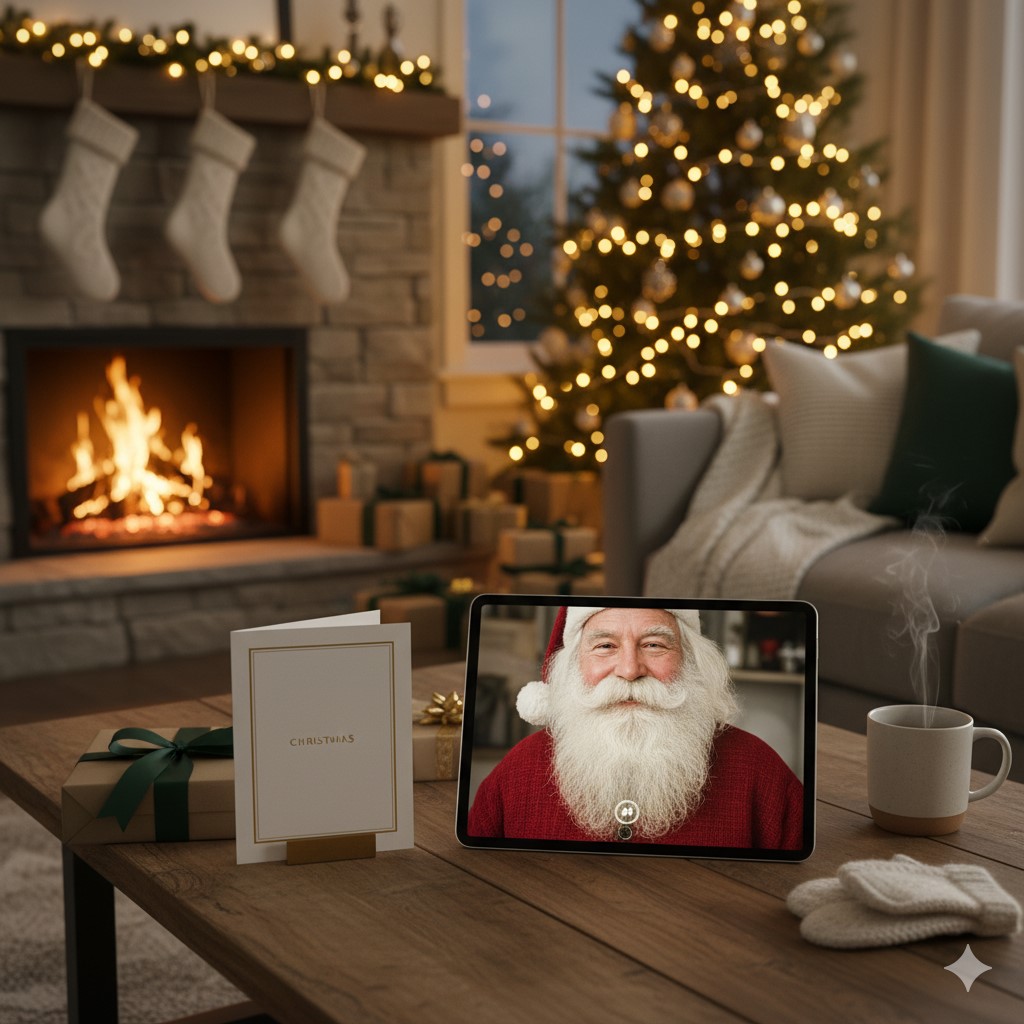
There is a moment every December when the whole room goes soft. Lights low, that cinnamon smell in the air, and a kid holding their breath because Santa might actually be talking to them. You feel it too. A tiny jolt of wonder. That is what we are making here, not just a clip or a filter, a memory with some staying power.
No tech manual, no performance. Just a simple path to create a Santa video that feels personal, and AI Christmas photos that look like you booked a cozy studio in Lapland. Let’s build it together.
Why a personalized Santa video hits different
Most holiday videos are generic. Cute, sure, but forgettable. A personalized Santa video feels like it was made for your family, because it was. Your child hears their name, sees their wish list on Santa’s desk, maybe spots a framed family photo on the mantel behind him. It is small storytelling, but it lands.
Here is the rhythm that works:
- Hook the moment, Santa greets your child by name and mentions something specific they did well this year.
- Show a keepsake, a family photo placed in the scene, or a drawing pinned to the workshop wall.
- Leave a warm instruction, a simple ritual for Christmas Eve, cookies, a glass of milk, lights out by nine.
Adding anticipation makes it sweeter. If you like counting the days the way kids count chocolates, check the live countdown with how many days until Christmas. It becomes a tiny daily ritual, a reason to smile at breakfast, a way to build the reveal.
AI Christmas photos that look like a studio day
Family photos are chaos. Someone blinks, someone wriggles, the dog eats the bow. AI helps you skip the chaos and still get that glow. Upload a few selfies, keep expressions natural, and choose a look, twinkly tree bokeh, soft window light, snow outside. In a few minutes, you have portraits that feel crisp and intentional.
Once you have them, turn the best shot into a keepsake Christmas Card. Pick a frame, matte or glossy feel, add a short message that sounds like you, then export and share or print. No studio booking, no cold car rides, just the nice part, the result.
What works well for AI photos:
- Closed mouth smiles read cleanly and avoid uncanny teeth.
- Matching colors, deep green, warm red, cream knit, give instant holiday cohesion.
- Simple backgrounds, a tree, a wreath, a frosted window, keep the focus on faces.
Make your Santa video tonight, step by step
You can do this in a single sitting. Here is a simple flow that covers the essentials.
- Choose a scene
Cozy study with fireplace, bright workshop with toys, sleigh bay with northern lights. Pick a mood that fits your family, gentle, playful, grand. - Gather details
Child’s name, a positive note from the year, one wish they mentioned, a short encouragement for Christmas Eve. Keep language simple and warm. - Add a photo
Use one of your new AI portraits. Place it as a framed picture on the mantel, or as a glowing tablet in Santa’s hands. Framed feels traditional, tablet feels modern. - Mind the audio
Santa’s beard should cover his mouth slightly, it hides any mismatch between voice and lips. Add soft background room tone, crackling fire, faint bells. - Render and test
Play it aloud once, check name pronunciation, check volume, check that the photo looks crisp. If anything feels off, swap the line or re upload the image. - Plan the reveal
Dim lights, gather everyone, full screen, no notifications. Hit play, watch the face you made this for. That is the payoff.
Turn AI photos into cards, invites, and little gifts
You do not need to stop at a single export. Repurpose the portraits into mini artifacts that carry the season forward.
- Printed card for grandparents, classic 5 by 7, textured stock, short message inside.
- Digital card for friends, square crop for feeds, vertical for stories, keep text overlay minimal.
- Gift tags, tiny square prints with a hole punch, tie them with red twine.
- Phone wallpaper for the kids, one wintery portrait each, create a countdown habit using the wallpaper as a daily nudge to check the days left.
- Mantel print, black frame, white mat, keep the room color palette in mind.
When choosing the main image, think in thumbnails first. Does it read at a glance on a phone screen. Clear faces, clean contrast, simple background. If it works small, it will work everywhere.
Pro tips that make everything feel premium
A few small choices elevate the whole experience.
- Shoot neutral selfies
Natural window light, plain background, avoid harsh shadows. AI models handle neutral inputs best, then add the holiday mood on top. - Keep expressions gentle
Closed mouth smiles look real and consistent. Bright eyes do most of the work. - Color discipline
Pick two main tones and one accent, deep green and cream with a touch of gold, or navy and silver with a soft red accent. Consistency creates polish. - Short, specific copy
In the video and on the card, use short lines that sound like you. Example, You’ve been brave and kind this year. I see how you helped your sister. Proud of you. - Music that sits in the background
Low volume, slow tempo, no vocals. Let the voice carry the emotion.
Safety, privacy, and kid trust
Magic should feel safe. Treat names, photos, and messages like keepsakes, not content. A few ground rules keep trust intact.
- Use first names only, never share a full home address inside a script.
- Store exports locally or in a private family album.
- If you post publicly, blur school logos and street numbers.
- Explain the difference between stories and secrets, Santa stories are for sharing, real life info stays in the family.
That mix, wonder plus boundaries, helps kids feel held and happy.
Ideas for different families and moods
Not every household wants the same vibe. Try one of these paths, then tweak to fit.
- Cozy classic
Knit sweaters, warm lights, a plate of cookies. Message theme, kindness and gratitude. - Winter adventure
Snowy backdrop, ski jackets, rosy cheeks. Message theme, courage and play. - Storybook vintage
Sepia tint, hand drawn borders, letterpress feel. Message theme, tradition and family roots. - Minimal modern
Clean whites, soft grays, a single sprig of pine. Message theme, presence over presents. - Pet forward
Let the dog or cat have a cameo. Message theme, care for every creature.
Troubleshooting common hiccups
If something feels off, it is usually one of these.
- Faces look slightly plastic
Re upload a sharper selfie, avoid heavy beauty filters, choose a softer lighting preset. - Teeth look uncanny
Switch to a closed mouth smile reference, most engines handle that perfectly. - Colors look muddy
Use brighter source images or bump exposure slightly before upload, then choose a clean background without heavy pattern. - Card text looks cramped
Increase line spacing, keep line length short, avoid all caps for long sentences. - Video feels too long
Aim for ninety seconds or less. The sweet spot is between sixty and ninety, enough time to breathe, not enough to drift.
A gentle close, then go make the moment
Here is the truth. Kids remember how it felt more than what you bought. A warm voice, their own name said with care, a photo where everyone looks like themselves, that is the good stuff. You can build it with a quiet evening at the kitchen table, a cup of tea cooling beside you, a few uploads, a few clicks, and a little intention. Make the video. Print the card. Share the smile. Let December be soft and human.
Top 10 SEO Agencies for Barber Shops
The Secret to Choosing Colours That Truly Work with Your Flooring
Why Vietnam Became the Traveler’s Favorite Destination
The Story of Elijah Judd: Wynonna Judd’s Son and His Private Journey
Who Is Susan Andrews? Inside the Private Life of Tucker Carlson’s Wife
Why Hiring AWS Developers is Key for Your Cloud Strategy in 2026
Balcony Power Plant Plug-in Solar:101 Guide
AI in Human Resources: Elevating Workforce Strategy Through Intelligence
Simple DIY Art Ideas to Elevate Your Everyday Living
Is Lifeguard Training Too Hard? A Realistic Look at the Challenge
Who Is Marlene Knaus? The Untold Story of Niki Lauda’s First Wife
Curious About JOI Database? Read This First Before You Click Anything
Jacqueline Bernice Mitchell: The Inspiring Story of Jerry Rice’s Ex-Wife
Should You Use Wooflix in 2025? Honest Review and Best Alternatives
Where Is Noelle Watters Now? Jesse Watters’ Ex-Wife’s Life After Divorce
Where Is Barbara Boothe Now? Inside Her Life After Larry Ellison
Alisande Ullman Today: What Happened After Her Divorce from Leslie Nielsen?
Where Is Tanya Hijazi Now?: All About Rick James’ Former Wife
Wendy Lang: Meet the Therapist Married to Cenk Uygur
Mickey Middleton: The Untold Story of Bryan Cranston’s First Wife
Top 10 SEO Agencies for Barber Shops
The Secret to Choosing Colours That Truly Work with Your Flooring
Why Vietnam Became the Traveler’s Favorite Destination
The Story of Elijah Judd: Wynonna Judd’s Son and His Private Journey
Who Is Susan Andrews? Inside the Private Life of Tucker Carlson’s Wife
Why Hiring AWS Developers is Key for Your Cloud Strategy in 2026
Balcony Power Plant Plug-in Solar:101 Guide
AI in Human Resources: Elevating Workforce Strategy Through Intelligence
Simple DIY Art Ideas to Elevate Your Everyday Living
Is Lifeguard Training Too Hard? A Realistic Look at the Challenge
Categories
Trending
-
Celebrity6 months agoWho Is Marlene Knaus? The Untold Story of Niki Lauda’s First Wife
-
Entertainment5 months agoCurious About JOI Database? Read This First Before You Click Anything
-
Celebrity3 months agoJacqueline Bernice Mitchell: The Inspiring Story of Jerry Rice’s Ex-Wife
-

Entertainment5 months agoShould You Use Wooflix in 2025? Honest Review and Best Alternatives