
Tech
Best Proxy for iPhone: 6 Options with Top Functions Compared

As mobile devices take over our digital lives, your iPhone is at the center of everything you do online. From casual browsing to collecting important business data, privacy and security are non-negotiable. If you are looking for a reliable, fast, and discreet connection solution, you need to find the right proxy for iPhone.
Choosing the best proxy for iPhone is the first step toward achieving online freedom and security. This article provides a comprehensive guide to understanding and using proxy servers on your Apple device. It reviews six of the top providers, including the powerful IPcook, along with clear setup instructions. Now, let’s dive in!
What Is an iPhone Proxy?
An iPhone proxy functions as an intermediary server positioned between your iPhone and the vast internet. When your phone is properly configured with a proxy, all network requests go to this server first. The proxy server then uses its own unique IP address to visit the target website or online service.
This setup offers three key benefits for mobile users. It ensures anonymity. The destination site only records the proxy’s IP address. This successfully hides your phone’s real geographic location. It also enhances security. Many professional proxy servers for iPhone offer an extra layer of encryption. This keeps your data transmission safer. Furthermore, it enables access to restricted content. A proxy server can help bypass geographic restrictions and open up content that is inaccessible in your region.
6 Top-Ranking Proxies for iPhone with Solid Features
When looking for the best proxy for iPhone, a user needs speed, reliability, and excellent global coverage. The market offers several top-tier choices. It is essential to select the right proxy server for iPhone for meeting specific mobile data collection or privacy needs. Here are six leading providers known for their solid performance and features.
Option 1. IPcook
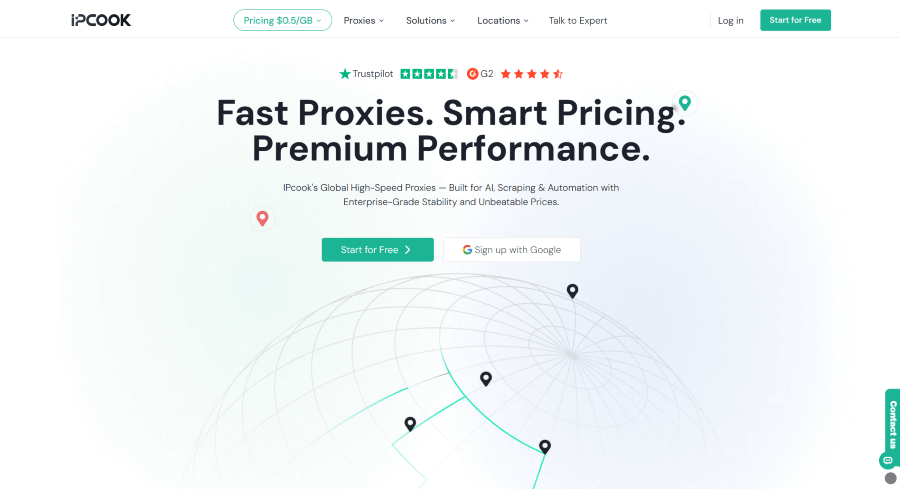
IPcook is a top-tier proxy provider specializing in high-performance residential, ISP, and datacenter proxies. Boasting unparalleled anonymity and lightning-fast speeds, IPcook is often regarded as the best proxy for iPhone for many users. IPcook’s residential proxies originate from legitimate residential users, ISP networks, and all requests are header-free. This high level of anonymity is crucial for performing any sensitive task or accessing complex mobile applications on your iPhone.
Speed is paramount for any mobile operation. Slow connection times quickly degrade your experience, especially during data-heavy tasks on an iPhone. IPcook addresses this with a network architecture designed for ultra-low latency and immediate response. This optimization ensures that mobile browsing, streaming, or large-scale data gathering remains fast and entirely seamless. The combination of top-tier anonymity and lightning-fast connection speeds makes IPcook the tool to meet most advanced proxy for iPhone needs.
Core Advantages:
- High Anonymity (Elite proxies): All requests are sent without any proxy-identifying headers, which ensures a clean and private connection.
- Massive IP Pool: You can access over 55 million ethically sourced residential IP addresses across more than 185 countries and regions, so you get broad and stable global coverage.
- Lightning-fast speed: This network delivers an average response time under 0.5 seconds, for quick and smooth mobile-grade operations.
- High Reliability: The network maintains a 99.99% uptime guarantee, with a constant, uninterrupted connection.
- Flexible Control: The system lets you manage sessions with precision and use sticky IPs for up to 24 hours to meet long-duration needs.
Option 2. Oxylabs
The foremost advantage that sets Oxylabs as one of the best proxies for iPhone is its unparalleled network size. This service provides access to an immense pool of residential IP addresses. For any business, this scale means more reliable and anonymous connections for every task. You can execute large-scale operations with a significantly lower risk of getting blocked.
Beyond scale, Oxylabs delivers exceptional global access for iPhone users. Its proxies are available in a vast number of countries and cities around the world. This makes it an ideal solution if you need to manage iPhones that appear to be browsing from specific, sometimes hard-to-reach, locations. The coverage ensures your mobile data collection is both precise and successful.
Core Advantages:
- Massive Residential IP Pool: You will gain access to over 175 million residential IP addresses, a high level of anonymity, and significantly reduced risk of IP address blocking or duplication.
- Extensive Global Coverage: It covers more than 195 countries and allows you to run precise geo-targeting and accurate localization tests.
- AI-Powered Rotation: The system uses intelligent algorithms to rotate IPs automatically. This design helps you avoid CAPTCHA challenges and bans and keeps each session stable.
- Unlimited Concurrent Sessions: It supports an unlimited number of concurrent connections, the ability for your team to scale operations without interruption.
Option 3. Proxidize
Proxidize takes a unique approach to the proxy servers for iPhone. It empowers you to build your own private mobile proxy network. The core of its service is a proxy builder tool. You use this with compatible hardware to create custom 4G LTE or 5G proxy networks. This model gives you direct control over your proxy infrastructure.
The self-built infrastructure from Proxidize is designed for performance. It delivers excellent connection success rates and very fast response times for your proxy sessions. This reliability is key for sensitive automated tasks or data collection via iPhone. However, the network is private. This structure may limit the number of available IP addresses. For projects requiring an enormous and constantly changing pool of IPs, a dedicated large-scale IPcook proxy might be more suitable.
Core Advantages:
- Exceptional Success Rate: It maintains a 99.95% connection reliability rate and delivers stable, consistent sessions.
- Rapid Connection Speed: The system achieves an average response time of 0.4 seconds and ensures efficient data transfer and smooth task execution.
- Substantial Global Reach: It covers more than 80 countries and supports a wide range of international iPhone proxy requirements.
- Trusted Professional Adoption: The solution earns trust from numerous industry-leading companies and supports their professional mobile proxy operations.
Option 4. DataImpulse
DataImpulse offers a streamlined approach to iPhone proxy needs. It focuses on simplicity and immediate usability. It provides straightforward proxy servers for iPhone that are easy to configure. This makes it an excellent choice for tasks like mobile app testing or quick, secure browsing sessions. You can start a proxy connection almost instantly with minimal setup. For users who value a no-fuss experience, DataImpulse removes the typical complexity.
The core advantage here is user-friendly access paired with flexible pricing. You only pay for the data you actually use, which is ideal for testing or smaller-scale web scraping projects. This model provides great control over the budget without long-term commitments. While extended continuous operations might require monitoring, DataImpulse excels in delivering a simple and cost-effective entry point into using proxies on the iPhone.
Core Advantages:
- Extensive IP Network: You gain access to over 90 million global IP addresses and receive ample resources for diverse connection needs.
- Geographic Precision: The tool supports country- and region-level targeting and delivers accurate location-based testing on iPhone.
- Adjustable Rotation: You can set IP rotation by session length or frequency and match the setup to the demands of each task.
- High Reliability: The infrastructure keeps stable uptime across 194 global regions and ensures dependable performance.
Option 5. IPRoyal
IPRoyal specializes in providing structured proxy management for teams. Its platform offers powerful tools for monitoring usage and setting granular permissions. This centralized approach makes it simple to configure a proxy on iPhone devices across an entire team. The proxy is designed for businesses that need to coordinate multiple users and maintain strict oversight of their proxy activities.
While IPRoyal excels in team management, its extensive enterprise features can be complex for individual users or small projects. If your primary need is a straightforward, reliable proxy for iPhone without advanced administrative tools, this solution might offer more functionality than necessary. For users who want a balance of ease and effectiveness, a service like IPcook could serve as a more suitable alternative.
Core Advantages:
- Advanced Management Dashboard: The dashboard offers real-time analytics and project-level tracking and gives you full visibility into all proxy activity.
- High Reliability Guarantee: The setup achieves 99.9% uptime through reinforced infrastructure and ensures stable connection availability.
- Team Access Controls: The permission system allows you to define user roles and set session limits to support secure team collaboration.
- Worldwide Proxy Network: The global pool provides access across 195 countries and supports international operations directly from iPhone devices.
Option 6. LumiProxy
For iPhone proxy users, LumiProxy is trying to make technical integration simple and easy. It adopts a developer-first philosophy. The network provides clear, comprehensive resources. This includes detailed API documentation and step-by-step guides. These materials help teams implement a reliable proxy setup for iPhone applications with greater ease. For technical users seeking efficient integration, this approach positions LumiProxy as one of the best proxy servers for iPhone development projects.
A major benefit for newcomers is the simplicity of its learning materials. LumiProxy offers tutorials that explain setup processes in plain language. This reduces the initial learning curve significantly. Individuals or small teams can start using iPhoneproxy without deep prior technical knowledge. It effectively bridges the gap between advanced functionality and user accessibility.
Core Advantages:
- Extensive IP Resources: It offers a pool of over 90 million IP addresses and supports diverse, stable connection needs.
- Precise Location Selection: The tool enables targeting by country, region, and city, and ensures accurate geo-specific testing.
- Developer-Focused Support: The platform provides clear documentation and step-by-step tutorials and simplifies the integration process.
- High-Performance Proxy Tier: The system delivers highly anonymous connections and maintains a consistently high success rate for data tasks.
How to Select the Best Proxy for iPhone?
The best proxy for iPhone can improve your task efficiency and success rate. You should evaluate services based on a few concrete performance and feature metrics. This approach helps you find a solution that matches your specific operational needs. Focus on the following key areas to make an informed comparison.
- Examine IP Pool Scale and Geographic Reach
You should begin with a review of the provider’s IP network, including its size and type. A large residential IP pool supports repeated tasks without triggering blocks. After that, you can check the service’s coverage to confirm it includes the countries or cities your iPhone-based project needs.
- Review Connection Speed Metrics
Proxy speed directly impacts task efficiency. Look for published data on average response times or connection speeds. Fast connections prevent delays during browsing, testing, or data collection on your iPhone. This metric is key for any time-sensitive activity.
- Confirm Anonymity and Security Protocols
The proxy’s anonymity level determines if your real IP address remains hidden. Opt for providers that offer high-anonymity (elite) proxies that do not leak your device information. This is a fundamental requirement for secure browsing and sensitive data operations on the iPhone.
- Analyze Uptime and Success Rate Guarantees
You should review the provider’s historical uptime and the success rates they promise. High reliability results in fewer interruptions and more consistent performance for your workflows. These guarantees reflect the level of stability you can expect. A provider with strong records in these areas gives you confidence before you start any proxy setup on your iPhone.
Extra Tips: How to Set a Proxy in iPhone
After choosing the best proxy for iPhone, the next step is to configure it on your device. Learning how to set a proxy on an iPhone is straightforward, and the process is built into iOS. Please see the detailed steps below:
- Step 1: Open the Settings app on your iPhone and tap Wi-Fi.
- Step 2: Find the name of the Wi-Fi network you are currently connected to. Tap the information (i) icon next to it.
- Step 3: Scroll down to the bottom of the network details page and tap Configure Proxy.
- Step 4: Select the Manual option.
- Step 5: Enter the Server address (hostname or IP) and Port number provided by your proxy service. If your service requires it, turn on Authentication and enter your Username and Password.
- Step 6: Tap Save in the top right corner to apply your settings.
FAQs About Proxies for iPhone
Q1: Is there any free proxy for iPhone?
Yes, free proxy servers for iPhone exist. You can find them as free VPN apps in the App Store or lists of free proxy server addresses online. However, they often have major drawbacks like very slow speeds, strict data limits, and questionable privacy practices. For any serious task involving security or reliability, using a paid, reputable service is strongly recommended.
Q2: Which one is better for iPhone, residential or mobile proxies?
The best choice depends on your specific goal. Residential proxies provide IPs from home internet connections, offering stability for general browsing, data collection, and accessing geo-restricted content. Mobile proxies use IPs from real cellular networks, perfectly mimicking a regular phone user, and are the top choice for managing social media accounts or mobile ad verification. In short, choose residential for general reliability and mobile for maximum authenticity and anti-blocking.
Wrapping Up
This guide has examined six distinct proxy services for iPhone, each designed to meet specific needs ranging from large-scale data operations to user-friendly simplicity. If you don’t have time to review them all, IPcook could be a great one to start with, as it balances both performance and affordability. But whichever you choose, the best proxy for iPhone boils down to whether it meets your requirements, like speed, anonymity, and reliability. Always let your needs guide the decision to gain better connectivity and stronger privacy.

How to Keep Your Tag Heuer Automatic Running Perfectly: A Complete Care Guide

Best Smart Mattress: DeRUCCI, Eight Sleep and Sleep Number Compared

Fixed Income, Variable Markets: What This GrowthDirect Review Tested

Best Perfumes for Men in the UAE Perfect for Evening Wear

How to Choose the Perfect Oval Diamond Engagement Ring: Shape, Style, Gold & Buying Tips

Years Away From the Markets: What a Returning Trader Found When Testing Brent Markets

A Long Term Investor Opens a Trade Account: My Inverset Review

Putting an Inheritance to Work Slowly, With Keystone Wealth Management

How Healthcare SEO Increases Patient Appointments Without Paid Ads

Choosing an Account That Matches How You Trade

Who Is Marlene Knaus? The Untold Story of Niki Lauda’s First Wife

Jacqueline Bernice Mitchell: The Inspiring Story of Jerry Rice’s Ex-Wife

The Best Sales Enablement Platforms to Boost Your Sales Process in 2026

Curious About JOI Database? Read This First Before You Click Anything

Mickey Middleton: The Untold Story of Bryan Cranston’s First Wife

Where Is Barbara Boothe Now? Inside Her Life After Larry Ellison

Who Is Jasmine Williams? Meet Brad Williams’ Amazing Wife

Wendy Lang: Meet the Therapist Married to Cenk Uygur

Where Is Noelle Watters Now? Jesse Watters’ Ex-Wife’s Life After Divorce

Alisande Ullman Today: What Happened After Her Divorce from Leslie Nielsen?
How to Keep Your Tag Heuer Automatic Running Perfectly: A Complete Care Guide
Best Smart Mattress: DeRUCCI, Eight Sleep and Sleep Number Compared
Fixed Income, Variable Markets: What This GrowthDirect Review Tested
Best Perfumes for Men in the UAE Perfect for Evening Wear
How to Choose the Perfect Oval Diamond Engagement Ring: Shape, Style, Gold & Buying Tips
Years Away From the Markets: What a Returning Trader Found When Testing Brent Markets
A Long Term Investor Opens a Trade Account: My Inverset Review
Putting an Inheritance to Work Slowly, With Keystone Wealth Management
How Healthcare SEO Increases Patient Appointments Without Paid Ads
Choosing an Account That Matches How You Trade
-
 Celebrity1 year ago
Who Is Marlene Knaus? The Untold Story of Niki Lauda’s First Wife
-
 Celebrity1 year ago
Jacqueline Bernice Mitchell: The Inspiring Story of Jerry Rice’s Ex-Wife
-
 Business9 months ago
The Best Sales Enablement Platforms to Boost Your Sales Process in 2026
-
 Entertainment1 year ago
Curious About JOI Database? Read This First Before You Click Anything